Introducing MeMemes: A Meme Organizer for iMessage
Your meme collection deserves better than a cluttered camera roll. Today we're launching MeMemes on the App Store.


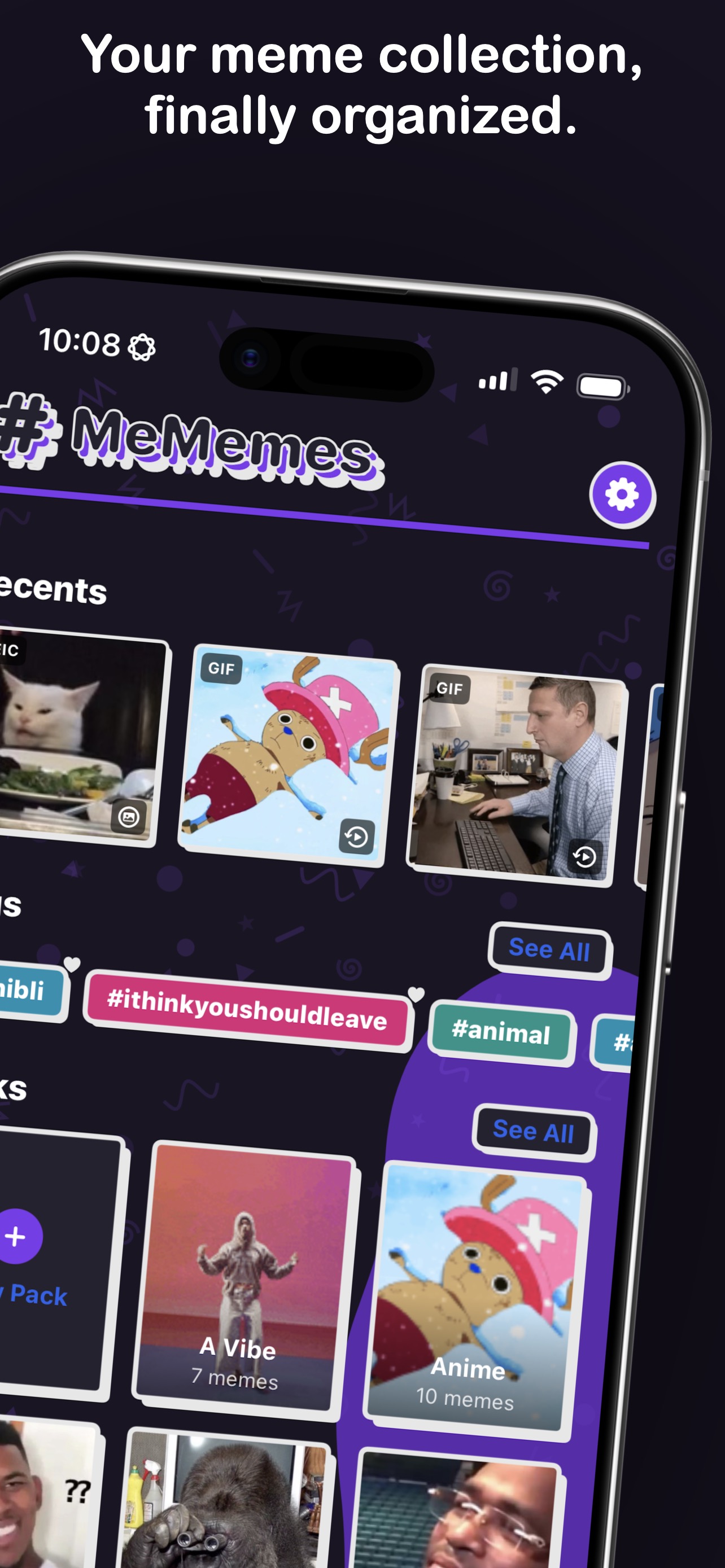
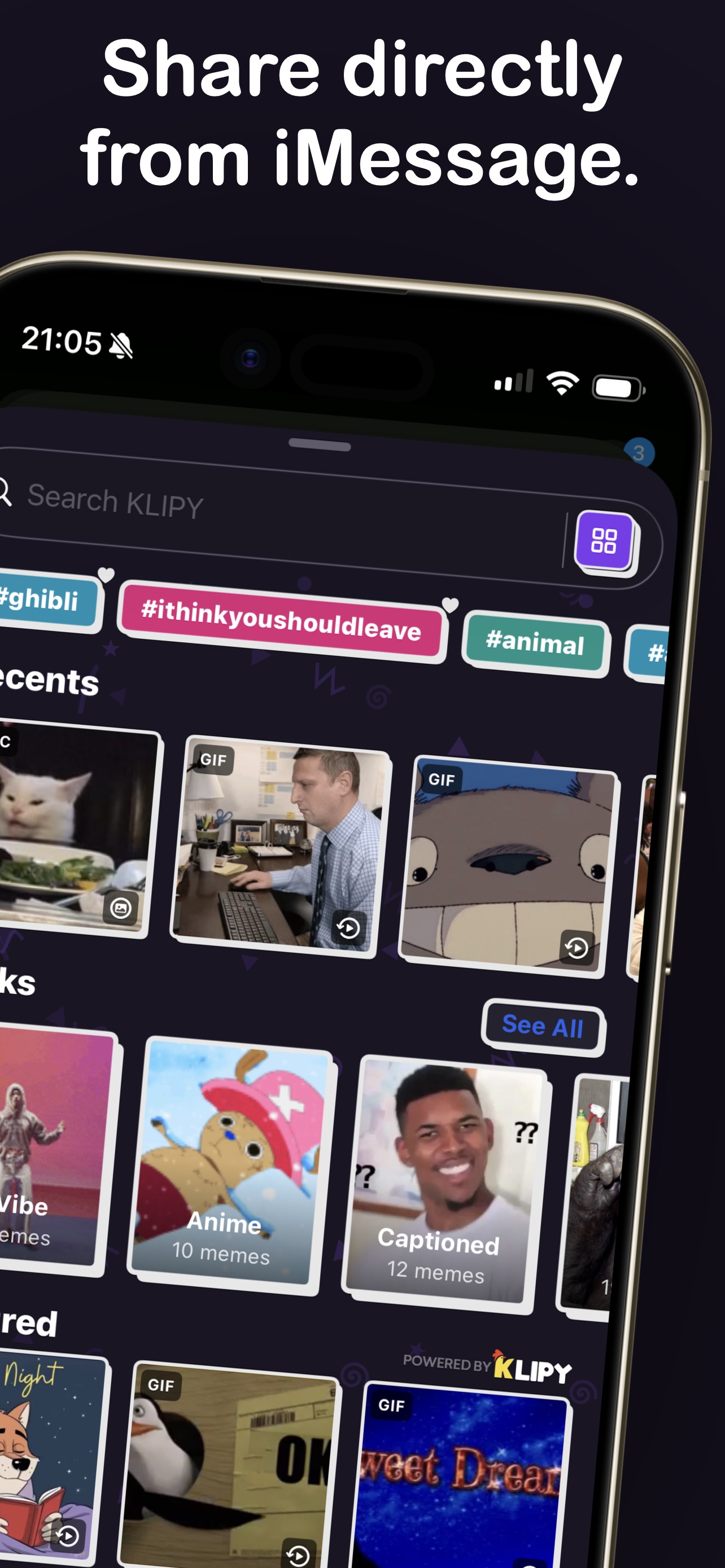
MeMemes is a meme organizer built for people who actually use memes. If you have ever scrolled through hundreds of camera roll photos looking for that one perfect reaction GIF, or lost a meme you saved three months ago because it drowned in a sea of screenshots, this app was built for you. It is available today as a free download on the App Store for iPhone and iPad.
We built MeMemes because the problem is simple and universal: everyone saves memes, and nobody can find them when they need them. Your camera roll was designed for photos, not for a library of reaction GIFs, inside-joke screenshots, and video clips you want to drop into a group chat at a moment's notice.
What MeMemes Does
At its core, MeMemes is a dedicated vault for your meme collection. Import memes from Photos, Files, Safari, or any app using the iOS Share Extension. The app handles GIFs, MP4s, MOVs, PNGs, JPEGs, WebP, HEIC, and even audio files — which get automatically converted into shareable videos with an animated waveform visualizer. No more screen recordings of GIFs or screenshots of videos. Just clean, original-quality media in one organized place. (For every way to get a GIF off a website or out of a chat in the first place, see the best way to save GIFs on iPhone.)
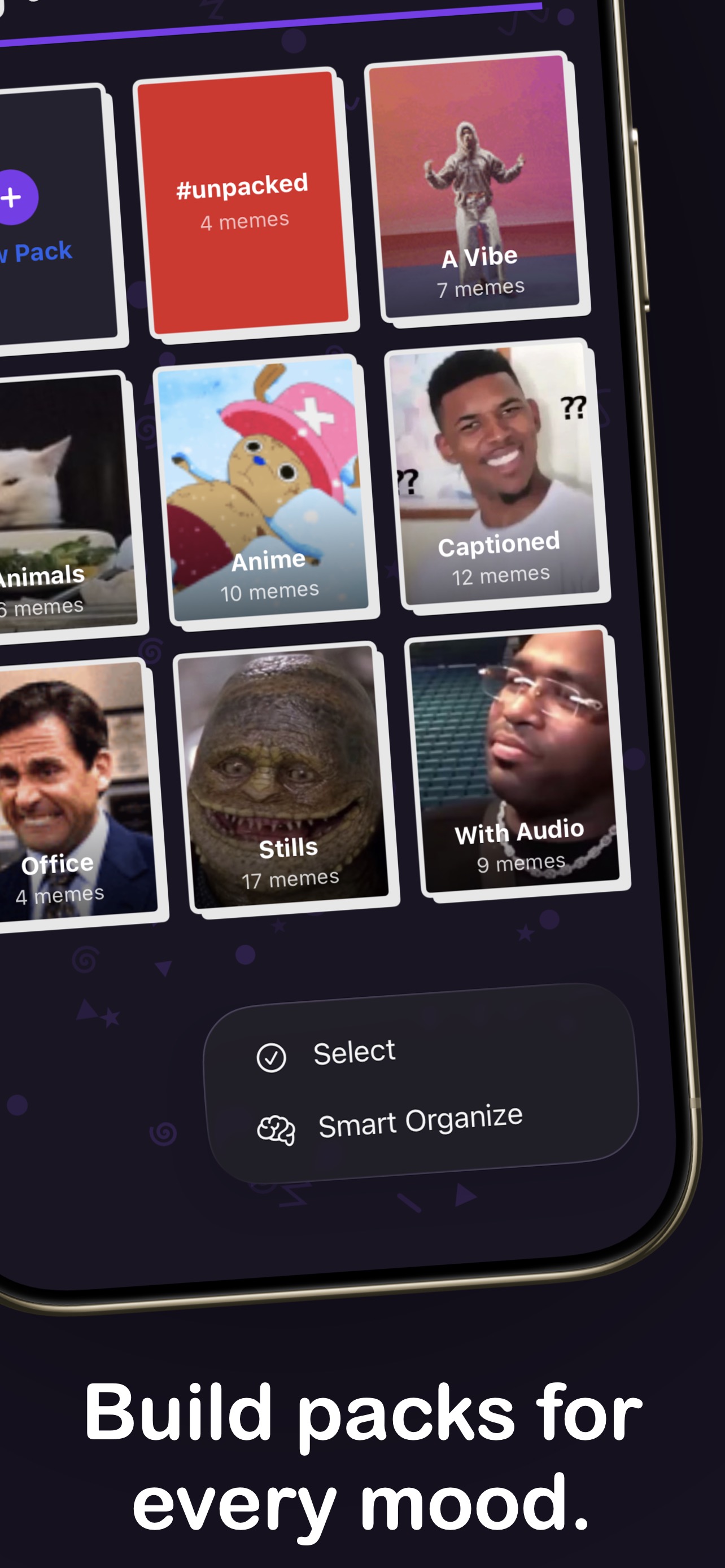
Once your memes are imported, organize them into custom packs and tags. Build packs for reactions, inside jokes, group chat staples, or whatever system makes sense to you. Favorite your go-to packs and tags to pin them to the top of your library. The organizational structure is entirely yours.
Send Memes Without Leaving iMessage
The iMessage extension is where MeMemes changes how you use memes daily. Instead of leaving a conversation to dig through your camera roll, you get full access to your organized library right inside Messages. Browse packs, search by tag, scroll your favorites — all without leaving the chat.
Find the perfect reaction in seconds and drop it directly into any conversation. Long-press any PNG, GIF, or JPEG sticker to peel and place it directly onto message bubbles, just like Apple's built-in stickers. Your search filter preferences stay in sync between the main app and the iMessage extension, so your workflow is consistent everywhere.
Smart Tagging That Stays on Your Device
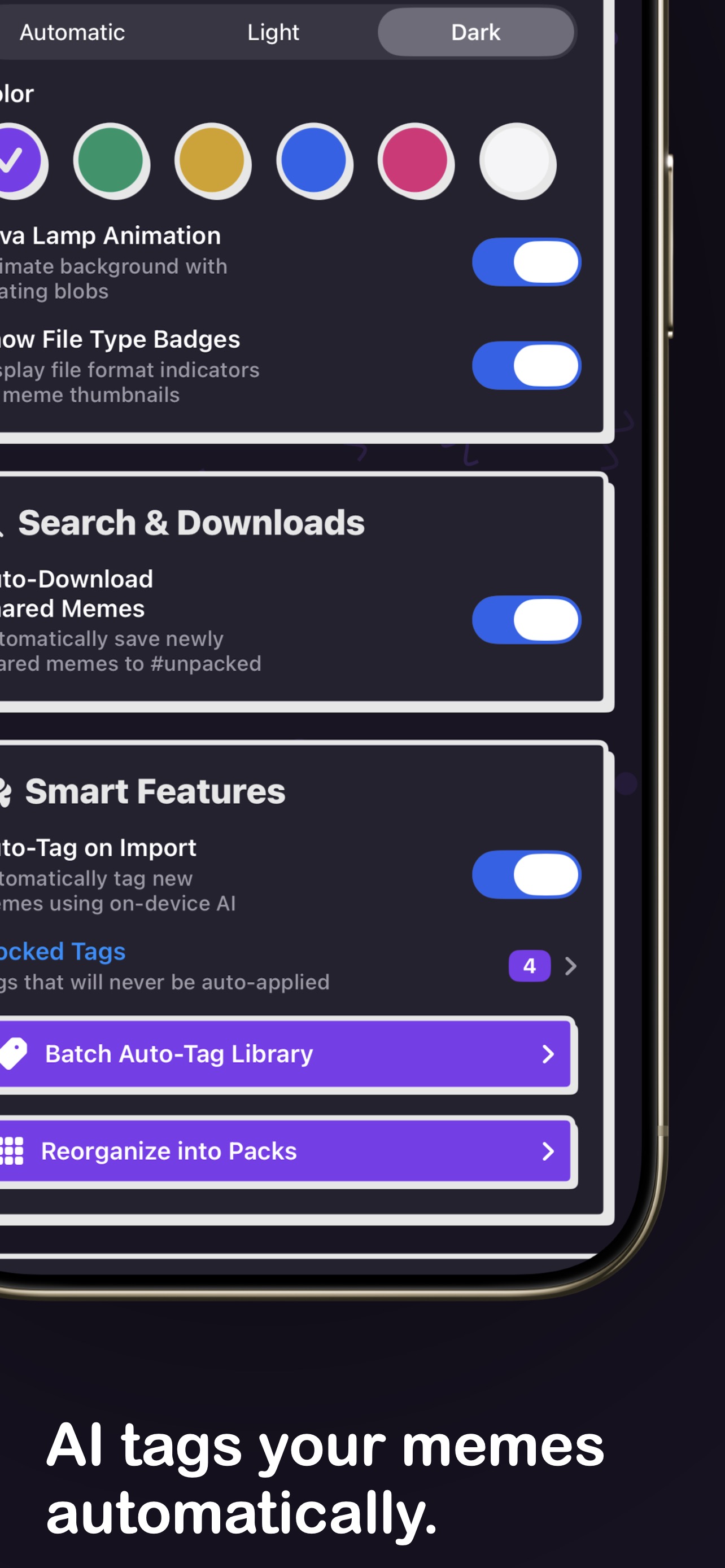
Privacy was a non-negotiable design principle from day one. MeMemes uses on-device Vision AI to auto-tag memes on import — text detection, face recognition, and object classification — without sending a single byte to the cloud. Your meme collection stays entirely on your device.
Batch auto-tag your entire library with one tap. Block unwanted tags so they never show up in suggestions again. The AI does the heavy lifting of cataloging, and you keep full control over the results.
Smart Packing takes it a step further. It analyzes your library and groups memes into categories like Reactions, Animals, Text Memes, People, Food & Drink, Nature, and Screenshots. Review the suggestions, adjust anything, and apply in bulk. What used to take hours of manual sorting now takes a few taps.
Discover Trending Content
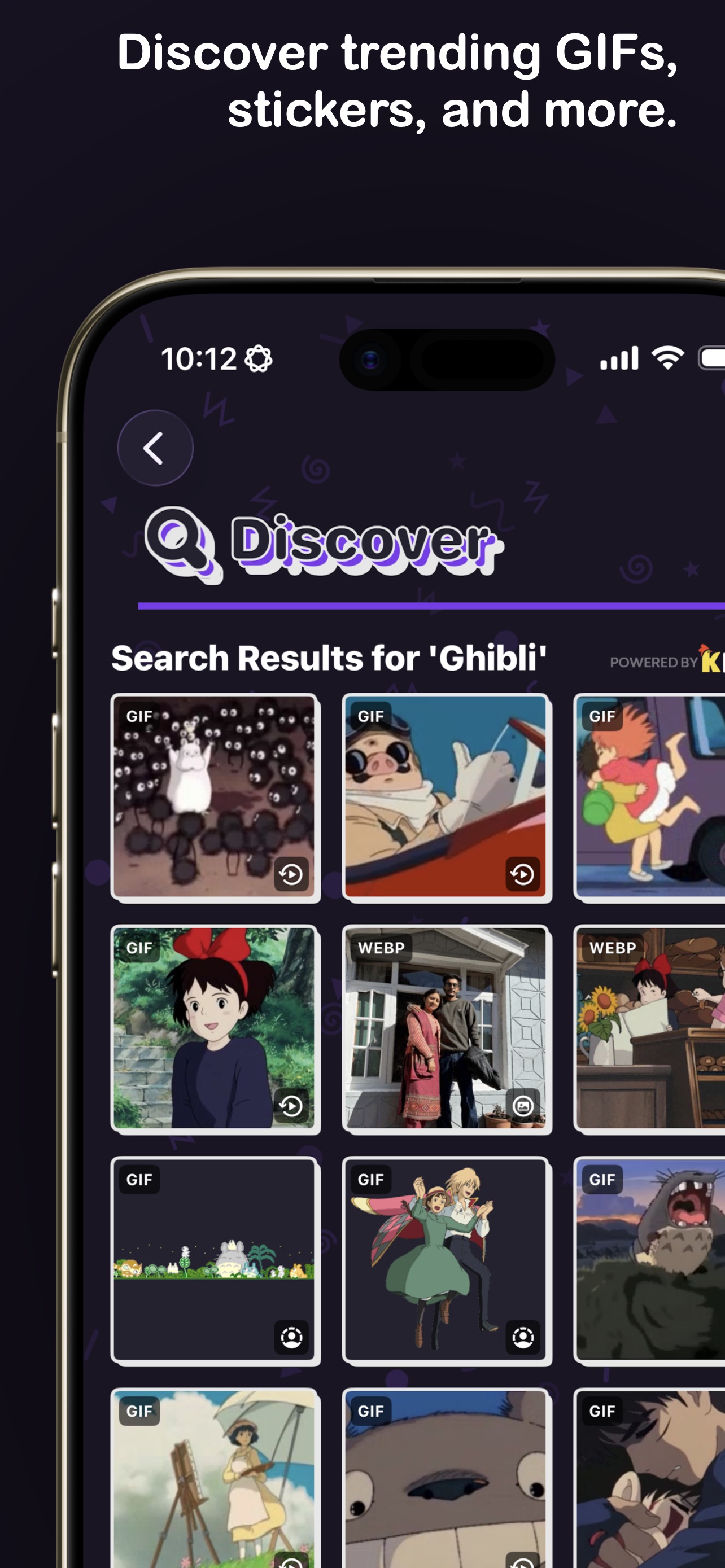
MeMemes is not just a filing cabinet for memes you already have. The Discover tab lets you browse trending GIFs, clips, stickers, and emojis powered by Klipy. Find the perfect reaction for any moment, explore what is popular, and add content directly to your collection or send it straight to a chat.
iCloud Sync Across Devices
Your meme library syncs across iPhone and iPad with iCloud. Every meme, pack, tag, and favorite stays up to date automatically. A real-time sync progress banner and per-meme cloud indicators show you exactly what is downloaded locally and what is still in the cloud. Switch devices and your collection is right where you left it.
Built Different
We wanted MeMemes to feel like the content it holds — playful, expressive, a little chaotic in the best way. The design language is neo-brutalist with customizable color themes, an animated lava lamp background, and playful 90s Nickelodeon-inspired patterns. Six themes — Lavender, Mint, Cream, Sky, Rose, and White — let you make the app feel like yours. Organizing your meme collection should feel fun, not like filing paperwork.
Free to Start, Pro When You're Ready
MeMemes is free to download with 12 saved memes and 4 custom packs — enough to try the app and see if it fits how you use memes. The iMessage extension and trending discovery are included in the free tier.
MeMemes Pro unlocks unlimited memes and packs, custom pack covers, Smart AI Tagging, Smart Packing, iCloud sync, clips, stickers, emojis, and ad-free sharing. Pro is available as a monthly plan, an annual plan with a 3-day free trial, or a one-time lifetime purchase for $29.99.
Why We Built This
At IROIRO, we build apps around small, real frustrations — the kind of problems that are too niche for big companies to care about but too annoying to keep ignoring. Meme organization is one of those problems. Hundreds of millions of people save memes every day, and the tools for managing them have been basically nonexistent.
MeMemes is our answer: a focused, well-crafted app that does one thing and does it well. We hope it makes your group chats faster, your reactions sharper, and your camera roll a little less chaotic.
MeMemes is available now on the App Store. Learn more at mememes.iroi.ro.
Frequently Asked Questions
What is MeMemes?
MeMemes is a meme organizer for iPhone and iPad that lets you save, tag, and share memes, GIFs, stickers, and clips. It includes a full iMessage extension for sending memes directly in conversations, on-device AI tagging for automatic organization, and iCloud sync to keep your collection available across devices.
Is MeMemes free?
MeMemes is free to download with 12 saved memes and 4 custom packs. MeMemes Pro unlocks unlimited memes and packs, Smart AI Tagging, Smart Packing, iCloud sync, clips, stickers, emojis, and ad-free sharing. Pro is available as a monthly subscription, annual subscription with a 3-day free trial, or a one-time lifetime purchase.
Does MeMemes work in iMessage?
Yes. MeMemes includes a full iMessage extension that gives you access to your organized meme library — packs, favorites, search, and browse — right inside Messages. You can also peel and place PNG, GIF, or JPEG stickers directly onto message bubbles, just like Apple's built-in stickers.
What file types does MeMemes support?
MeMemes supports GIF, MP4, MOV, PNG, JPEG, WebP, HEIC, and audio files. Audio files are automatically converted into shareable videos with an animated waveform visualizer, so every format in your collection becomes instantly shareable.
Is MeMemes private? Does it upload my memes?
MeMemes is built with privacy at its core. Smart AI Tagging uses on-device Vision AI for text detection, face recognition, and object classification — nothing is sent to the cloud. Your meme collection stays entirely on your device and syncs privately through your own iCloud account.
Download MeMemes
Your meme collection, organized. Free on the App Store.