Introducing Prorate Calculator Pro: A Complete Toolkit for Landlords and Renters
Six rent and lease calculators, state-specific legal guidance for all 50 states, and on-device AI insights. Version 2.0 is live on the App Store today.


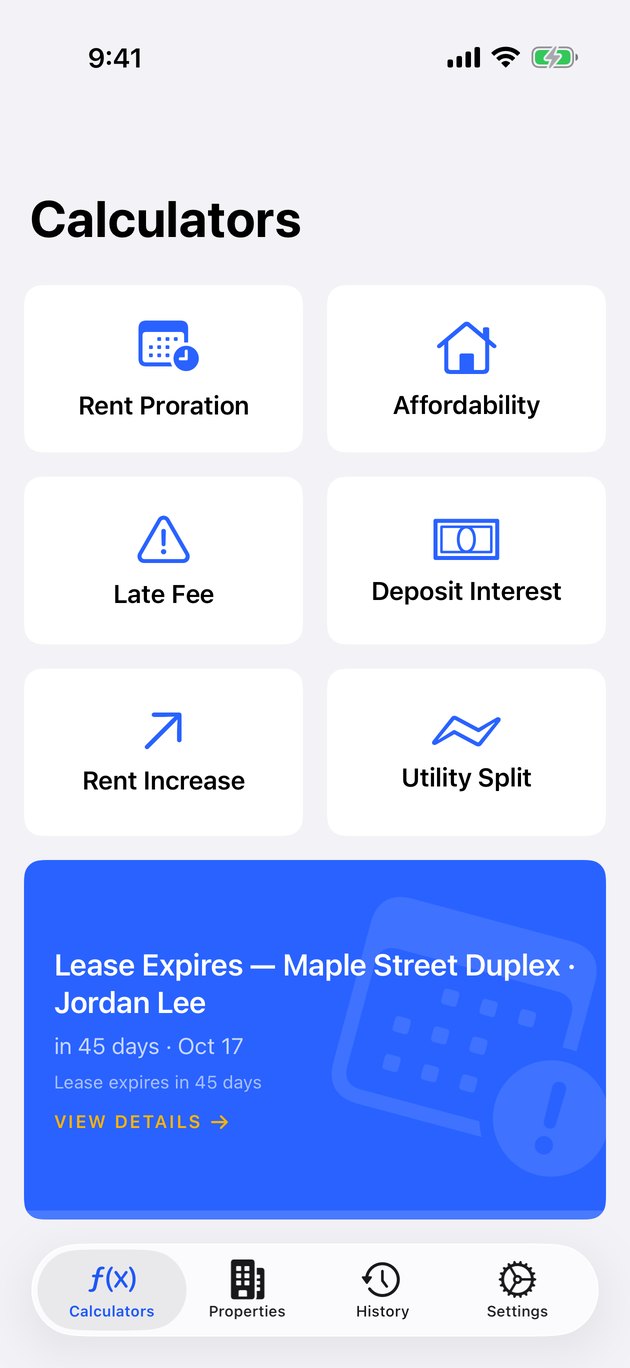
Prorate Calculator Pro 2.0 is live on the App Store today. This is a full ground-up rewrite of an app that has quietly helped landlords and renters with one of the most confusing parts of signing a lease — figuring out what is actually owed when the move-in date falls in the middle of a month. Version 2.0 keeps the simplicity that made the original useful and adds everything experienced landlords kept asking for.
The problem Prorate Calculator Pro solves is deceptively simple. You signed a lease starting on the fifteenth. Your rent is $2,400 a month. What do you actually owe for the first partial month? The answer depends on which proration method your lease uses, how many days are in the month, whether weekends count differently in your state, and what your landlord's accounting software does on the backend. Most online calculators give you one number and call it done. Real leases are messier than that.
What Prorate Calculator Pro Does
At its heart, Prorate Calculator Pro is a calculator suite. Six calculators, each focused on a specific rental math problem that comes up during the life of a lease. Every calculator is built to handle edge cases and give you results you can actually use in a negotiation, a lease signing, or a tenant dispute.
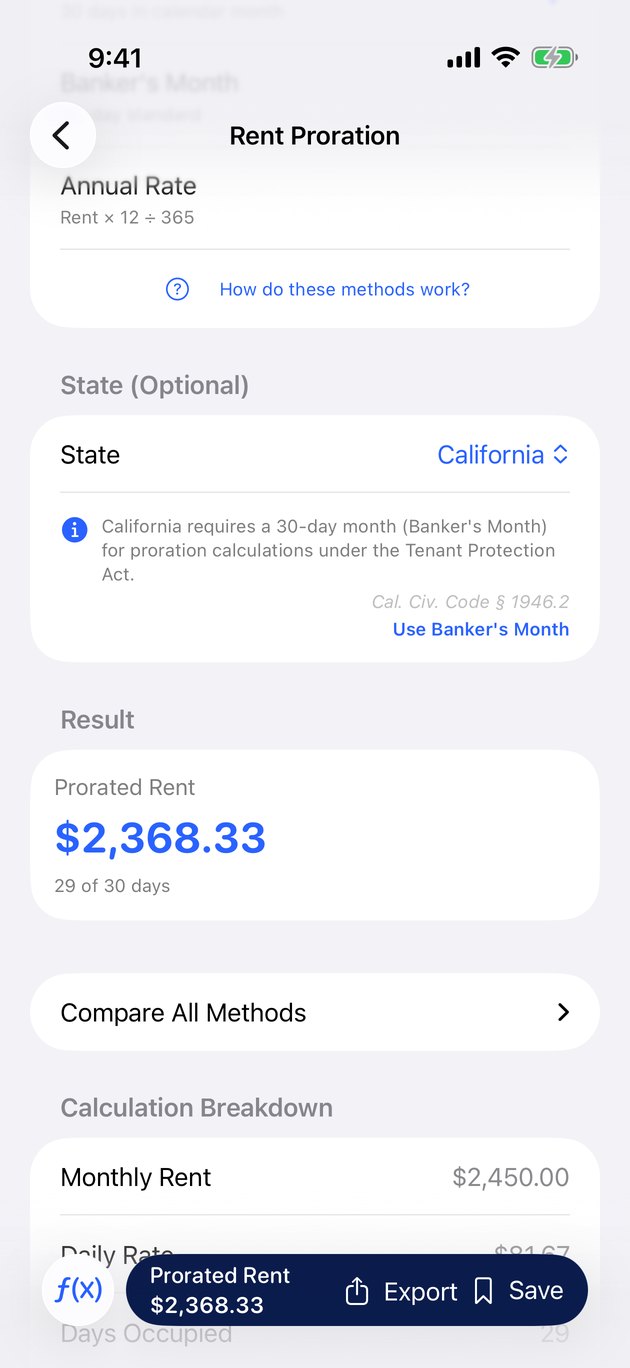
Rent proration is the original calculator and the one most people come to the app for. It handles three different proration methods side by side: the Actual Days method (dividing rent by the exact number of days in the month), the Banker's Month method (using a standardized 30-day month), and the Annual Rate method (based on a 365-day year). Showing all three results matters because different leases specify different methods, and the difference between them can be $50 to $100 on a typical rent. You can read more about how prorated rent is actually calculated in our earlier guide.
Affordability evaluation is the second free, unlimited calculator. Enter your income and the rent you are considering, and the app compares it against the 30% rule, the 50/30/20 budget framework, and local cost-of-living data to tell you whether the number makes sense for your situation. This one is aimed at renters making move decisions, but landlords use it too when screening applications.
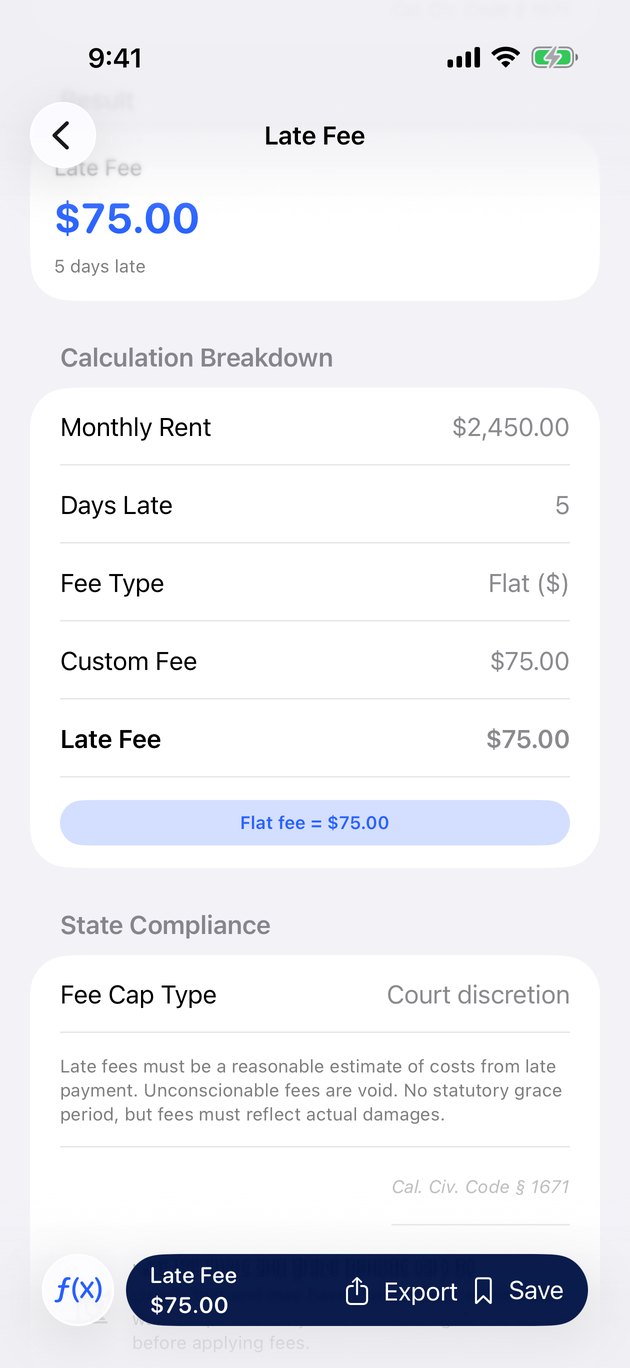
Late fee calculator takes the pain out of figuring out what you can actually charge or are actually being charged. Enter the state, the lease terms, and the days late, and the app returns the legally permitted fee based on state-specific grace periods, maximum percentages, and flat-fee caps. Many states cap late fees as a percentage of monthly rent, and many have mandatory grace periods that vary widely. Getting this wrong exposes a landlord to legal risk and costs tenants real money.
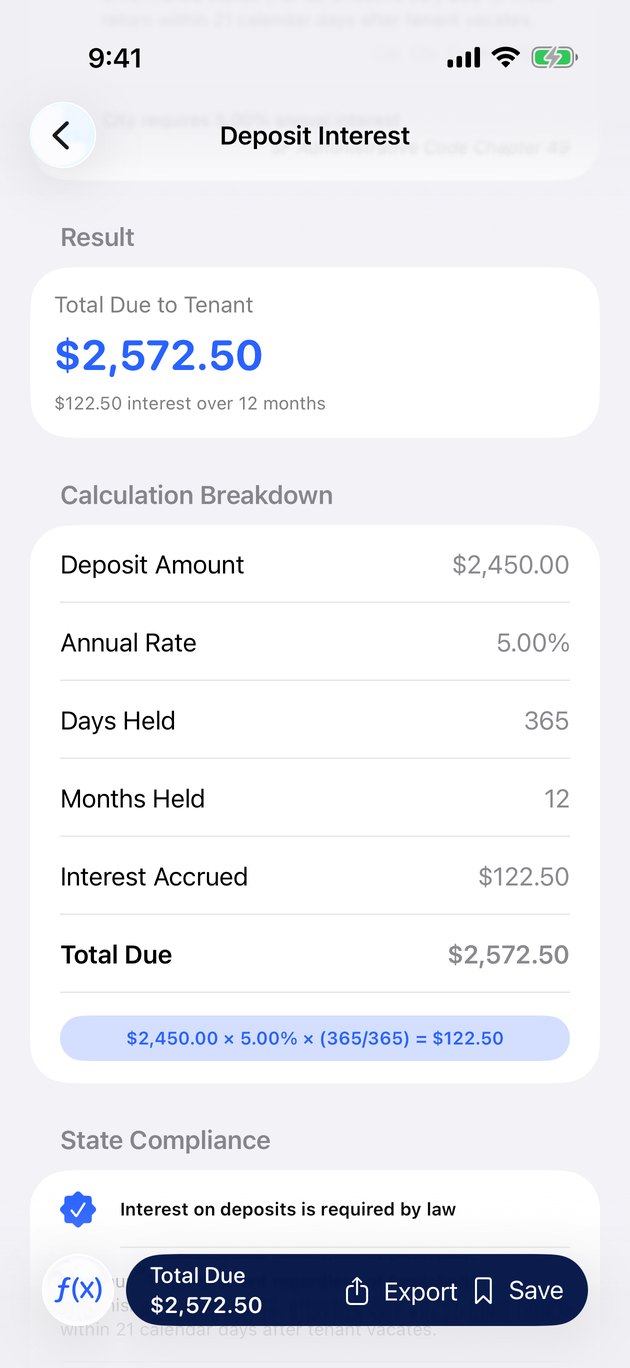
Security deposit interest is a calculator landlords in about half the U.S. states actually need. States like Massachusetts, New York, New Jersey, Illinois, and Connecticut require landlords to pay interest on security deposits, often at a rate tied to a bank index or a statutory minimum. The calculator pulls the correct rate for your jurisdiction, runs the compounding, and tells you exactly what needs to be returned or credited when the tenant moves out.
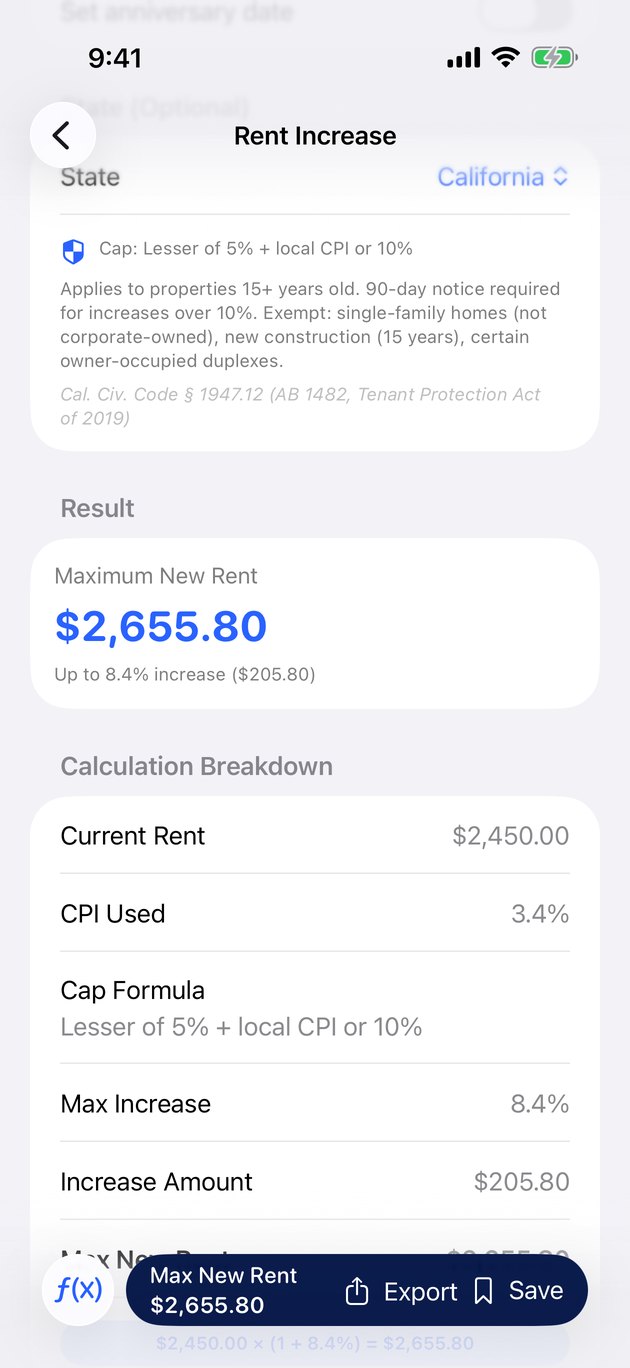
Rent increase checker uses current CPI data and state-specific rent control rules to flag whether a proposed rent increase is legal. Some jurisdictions have hard caps. Others require specific notice periods. A few allow unlimited increases but have notice requirements tied to the size of the jump. The app keeps track of all of it.
Utility split allocator is a small but useful calculator for shared housing situations. Enter the utilities, the occupants, and the split rules (by square footage, by headcount, or by fixed percentage), and the app produces a clean breakdown you can share with roommates or tenants. No more spreadsheets for a four-person house.
State-Specific Legal Guidance Built In
The feature that separates Prorate Calculator Pro from free online calculators is that every calculation is wrapped in state-specific legal guidance. When you pick a state in the late fee calculator, the app tells you the grace period required by statute, the maximum fee allowed, and whether your lease terms are actually enforceable. When you use the security deposit calculator, it tells you whether your state requires interest, what rate applies, and when the interest has to be paid out.
This guidance covers all fifty states plus the District of Columbia. It is not legal advice, and the app says so clearly. But it is a structured reference that lets you see at a glance whether a proposed lease term is in the normal range for your jurisdiction, or whether it warrants a second look before you sign.
For landlords managing properties in multiple states, this is a significant time saver. The rules change across state lines, and keeping track of every variation manually is error-prone. Having it baked into the calculators means fewer mistakes and fewer disputes.
Property and Lease Management
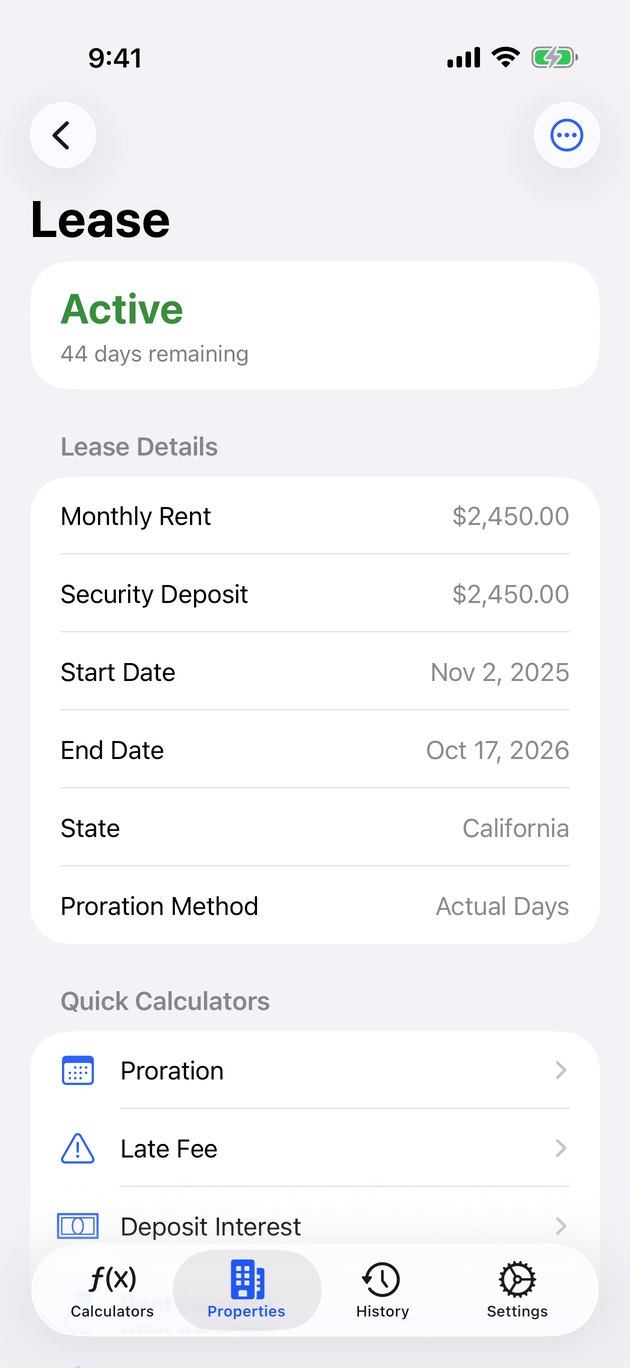
Version 2.0 adds a full property and lease management layer on top of the calculators. This is the biggest structural change from the earlier app. You can add properties, attach leases to them, record tenant details, and keep documents and photos organized alongside the financial data.
Smart notifications let you set reminders for lease expirations, rent due dates, inspection deadlines, and similar recurring events. The app nudges you a few weeks before a lease ends so you have time to decide whether to offer renewal, and flags rent payments that are approaching the grace period cutoff.
Photo documentation lets you attach condition photos to each property. This matters for security deposit disputes more than anything else — having a timestamped photo of a wall or floor before move-in and after move-out is the difference between a clean deposit return and a months-long dispute.
On-Device AI Insights
Prorate Calculator Pro uses AI for a specific purpose: analyzing your property data to surface useful insights. The app can look at your lease history and flag patterns like rent that has fallen behind local market rates, tenants who consistently pay late, or utility costs that are trending unusually high. It can also summarize lease documents to help you spot unusual clauses before signing.
All of this AI processing happens entirely on-device. Your property addresses, tenant information, lease terms, and financial data are never uploaded to any server for processing. This is not a marketing claim — it is an architectural decision that makes the app genuinely private by design. If you are curious about why on-device AI matters, we wrote about the difference between on-device and cloud AI processing earlier this week.
iCloud Sync, Widgets, and Polish
The 2.0 rewrite is built with SwiftUI and takes full advantage of modern iOS features. Data syncs across your iPhone and iPad through iCloud, using your own private account rather than a shared server. Home screen widgets give you quick access to your most-used calculators without opening the app. The interface is designed to feel fast and focused, with every calculation a tap or two away.
Accessibility has been a priority throughout. Dynamic Type works correctly at every size, including the largest accessibility settings. VoiceOver labels are written to be read aloud clearly. Color contrast meets WCAG guidance in both light and dark modes.
Free to Start, Premium When You Need It
Prorate Calculator Pro is free to download and the two most-used calculators — rent proration and affordability — are free forever, with no limits, no ads, and no usage caps. If you just need to figure out what you owe for half a month of rent, that is covered. You never have to pay for it.
Premium unlocks the late fee, security deposit interest, rent increase, and utility split calculators, along with the property and lease management features, photo documentation, and AI insights. It is available as a monthly plan at $2.99, an annual plan at $19.99 (a significant discount), or a one-time lifetime purchase in the $39.99 to $49.99 range. The lifetime option exists because we know some people prefer to pay once and own the tool forever, and that is a reasonable preference.
Who This App Is For
Prorate Calculator Pro is built for three overlapping audiences. Small landlords who manage one to twenty properties and do not need enterprise property management software but still want to keep their rental math clean and their legal exposure low. Property managers at firms that handle medium-sized portfolios and need a reliable calculator on their phone for quick client questions. Renters who want to understand exactly what they owe, whether their landlord is charging fair late fees, and whether a proposed rent increase is actually legal where they live.
If you have ever stood in a leasing office trying to do month-math on your phone while signing a lease, or argued with a landlord about what a late fee should be, or wondered whether your security deposit was being handled correctly — this app was built for you.
Why We Rebuilt It
At IROIRO, we build apps around small, specific frustrations. The original Prorate Calculator was one of our first apps, and it had been quietly running for years as a simple one-purpose tool. We rewrote it from scratch in SwiftUI because the original architecture was limiting what we could add, and the feedback from landlord users over the years kept pointing at the same gaps: they wanted late fee calculations, they wanted security deposit interest, they wanted state guidance, they wanted property management that did not require signing up for a SaaS platform.
Version 2.0 is our answer to years of that feedback. It keeps the original calculator free and fast, and adds a full toolkit around it for the people who need more. We hope it makes lease math easier, disputes rarer, and the whole rental process a little less stressful for everyone involved.
Prorate Calculator Pro is available now on the App Store.
Frequently Asked Questions
What is Prorate Calculator Pro?
Prorate Calculator Pro is an iOS app for landlords, property managers, and renters that bundles six rental calculators into a single toolkit: rent proration, late fees, security deposit interest, rent increase checks, utility split, and affordability. Every calculator includes state-specific legal guidance for all 50 states and DC.
Is Prorate Calculator Pro free?
Yes, the core rent proration and affordability calculators are free with unlimited use. Premium unlocks the late fee, security deposit interest, rent increase, and utility split calculators along with property and lease management features. Premium is available as a monthly subscription, annual subscription, or one-time lifetime purchase.
What rent proration methods does the app support?
Prorate Calculator Pro supports three standard proration methods: the Actual Days method (dividing rent by the exact number of days in the month), the Banker's Month method (using a standardized 30-day month), and the Annual Rate method (calculating based on a 365-day year). The app shows results for all three methods simultaneously so you can pick the one your lease specifies.
Does Prorate Calculator Pro include state law guidance?
Yes. Every calculator includes state-specific legal guidance for all 50 states plus the District of Columbia. This includes grace periods for late fees, maximum allowed late fee amounts, security deposit interest requirements, rent increase notice periods, and similar jurisdiction-specific rules. The guidance is not legal advice, but it helps you understand what your state requires.
Does Prorate Calculator Pro use AI? Is my data private?
Yes, the app includes AI-powered insights for analyzing lease affordability and spotting outliers in your rental data. All AI processing happens entirely on-device. Your property information, lease details, and financial data are never uploaded to any server. iCloud sync, if enabled, uses your own private iCloud account.
Download Rent Calculator: Lease Tracker
Free rent proration and affordability calculators. Premium toolkit for serious landlords and renters. Free on the App Store.