What Is the Microsoft Edge Surf Game? How to Open It on a Computer or Phone (2026)
Chrome has its dinosaur. Edge has a surfer. The game Microsoft tucked into its browser is better than it needs to be, and the guides about it disagree on one thing people keep asking: whether it works on a phone. Here is what the game is, how to open it anywhere Edge runs, what to check when it will not load, and what to play when you want a surf game made for your phone.
Quick answer: the Edge surf game is a free arcade game built into Microsoft Edge. Type edge://surf in the address bar, or open it from Edge's no-internet page. You steer a surfer past islands, boats and a chasing kraken, online or offline. On a phone it runs in the Edge app. For a surf game made for phones, try Hanafuda Flip!!, ours.
What Is the Edge Surf Game?
Surf is a small game that ships inside the Microsoft Edge browser. Microsoft added it in May 2020, with Edge 83, as Edge's version of the game Chrome shows when your connection drops. It is a tribute to SkiFree, the 1991 Windows game in which a skier is eventually eaten by a yeti; in Surf, the yeti is a kraken.
You look down on the ocean from above and steer a surfer as the water scrolls past. Islands, rocks, boats, other surfers and whirlpools are in the way. Hearts give you extra lives (you start with three), lightning bolts give you a burst of speed, and after a while the kraken comes up behind you and chases you until you lose it or it catches you. You choose your surfer on the start screen. There is nothing to buy, no account and no ads.
Microsoft lists three modes, which you switch between in the game's settings menu:
- Endless: surf as far as you can. Your score is the distance.
- Time trial: reach the end of a fixed course as fast as you can. The course is the same every time, so it is the mode for beating your own best.
- Zig zag: pass through as many gates in a row as you can. Miss one and the streak starts over.
Newer versions also show a coin-collecting mode, and each mode keeps its own high score. The settings menu has two options worth knowing: high visibility mode, which outlines every obstacle, and reduced speed mode, which slows the whole game down for younger players.
How to Open the Edge Surf Game
On a computer (Windows, Mac or Linux)
- Open Microsoft Edge.
- Click the address bar and type edge://surf exactly, with no www, https or .com.
- Press Enter, then press the space bar or click to start.
Steer with the left and right arrow keys, or move the mouse. A connected Xbox, PlayStation or Switch Pro controller works too, as does the Xbox Adaptive Controller. If your connection drops while you browse, Edge's no-internet page offers the game as well, but you never need to wait for that: the address works online.
On an iPhone, iPad or Android phone
- Install or update the Microsoft Edge app. The game is part of Edge, so it does not run in Safari, Chrome or Samsung Internet.
- Tap the address bar, type edge://surf, and tap Go.
- Swipe left and right to steer.
This is where the guides disagree. Most say the game runs in Edge on iPhone and Android alike. Microsoft's admin documentation for the setting that turns the game off lists Windows and Mac from Edge 83, iPhone and iPad from Edge 146, and marks Android as not supported, which some guides read as "no surf on Android." That page is about the switch administrators use, not a promise either way, so the honest advice is simple: update Edge and try the address. If it opens, it works. If it does not, your phone's build of Edge does not have it, and the game you want is an app (below).
On a phone the game is playable but cramped: the surfer moves down a narrow screen, your thumb covers part of what is coming, and it is still a desktop game shrunk to fit. Steering from beside the surfer rather than on top of it helps.
A Surf Game Made for One Thumb
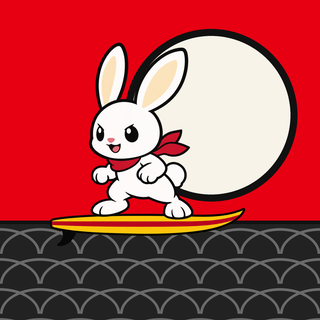
Hanafuda Flip!! is a surfing game built for phones rather than shrunk onto one. Ride a painted wave, launch off the crest, hold left for a backflip or right for a frontflip, and land it clean. Runs last about 100 seconds and play offline. Free on iPhone, iPad and Android.


Why Won't edge://surf Open?
When the game does not appear, it is almost always one of these:
- It went into a search box. If you typed the address into a search engine's page, or added www or https, Edge searched the web for it. Type it into Edge's own address bar, exactly.
- Edge is out of date. On a computer, open Settings, then About Microsoft Edge, and let it update. On a phone, update Edge from the App Store or Google Play.
- A school or work has turned it off. Administrators can disable the game with a policy called AllowSurfGame, which blocks both the address and the offline page. Type edge://policy to see whether it is set. Only the administrator can change it, and a school laptop with the game off will stay that way.
- You are in another browser. Chrome, Safari and Firefox do not have it. Chrome's own game opens at chrome://dino.
Edge Surf or a Surf Game App?
The Edge game is a fine way to fill ten minutes at a desk with no connection. It is a different thing from a surfing game you install, and which one you want depends on where you play and what you want from a run.
| Edge Surf | Hanafuda Flip!! | |
|---|---|---|
| What you do | Steer from above and dodge obstacles | Ride a wave side-on, launch and land flips |
| A run | Until you run out of lives | About 100 seconds |
| Where it runs | Inside Microsoft Edge | iPhone and iPad (iOS 15 or later), Android 12 or later |
| Offline | Yes | Yes: Hi-Score, the Daily, and Rooms of phones in one place |
| With friends | No | Rooms of up to eight, head-to-head races, a League |
| Something to collect | High scores | The 48 hanafuda flower cards, earned by playing |
| Cost | Free, no ads | Free with ads; one optional purchase unlocks all 14 riders and removes ads |
Hanafuda Flip!! is ours, so weigh this accordingly. It is a one-thumb surfing arcade game set inside a painted hanafuda card: build speed, launch off the crest, hold left for a backflip or right for a frontflip, chain doubles, triples and switch flips, and land clean to keep the points. A new sea every run in Hi-Score, and one shared sea a day in the Daily, with three challenges that are the same for everyone. Every run, even a wipeout, earns toward packs of the 48 hanafuda flower cards, which come only from play and are never sold, and the game lists the odds for each card. Phones in the same room can race in a Room of up to eight over Bluetooth with no internet.
Not for you if: you want the top-down dodging of Edge Surf itself, or you only play on a computer; Hanafuda Flip!! is a phone and tablet game. If you want more games in this vein, our guides to games like Alto's Adventure on Android and Tiny Wings alternatives for Android cover the one-thumb games closest to it, and for a group with no signal, see phone games to play in the same room without Wi-Fi.
Frequently Asked Questions
What is the Edge surf game?
It is a free arcade game built into the Microsoft Edge browser. You steer a surfer through the ocean, dodging islands, boats, other surfers and whirlpools, collecting hearts and speed boosts, while a kraken chases you. Microsoft added it in 2020 as Edge's answer to Chrome's dinosaur game, and it is a tribute to the 1991 Windows game SkiFree.
How do I open the surf game in Microsoft Edge?
Type edge://surf into Edge's address bar and press Enter. Type it exactly, with no www or https, or Edge searches the web for it instead. Edge also offers the game on its no-internet page when your connection drops, but the address works online too.
Can you play the Edge surf game on your phone?
Yes, in the Microsoft Edge app rather than Safari or Chrome. Open Edge, type edge://surf in the address bar and tap Go, then swipe to steer. Microsoft's admin documentation lists the setting that controls the game for Edge 146 or later on iPhone and marks Android as not supported, so update Edge and try it; if the address does not open, your build does not have it.
Does the Edge surf game work offline?
Yes. The game is part of the browser, so it needs no connection once Edge is installed. Edge shows it on the page you get when the internet is down, and edge://surf opens it whether you are online or not.
Why won't edge://surf open?
Usually one of three reasons. The address was typed into a search box or with extra characters, so Edge searched for it. Edge is out of date, so update it in Settings, About Microsoft Edge. Or a school or work has switched the game off with the AllowSurfGame policy; edge://policy shows whether it has, and only the administrator can turn it back on.
Is there a surfing game app for iPhone and Android?
Yes. Hanafuda Flip!!, made by IROIRO, is a free one-thumb surfing game for iPhone, iPad and Android: launch off a wave, spin backflips and frontflips, and land them clean in runs of about 100 seconds. It plays offline, and up to eight phones in one room can race over Bluetooth. One optional purchase unlocks all 14 riders and removes ads.
Hanafuda Flip!! is made by IROIRO, LLC, which publishes this blog. Its availability on the App Store and Google Play was checked on November 27, 2026. Microsoft Edge and Surf are Microsoft's; details of the game come from Microsoft's documentation and current guides, and can change with any Edge update.
Surf the Card
Launch off the crest, spin into flips, land them clean, and earn packs of the 48 hanafuda flower cards by playing, never by paying. A Daily sea for everyone, Rooms of up to eight over Bluetooth or by code, and a League from Bronze to Master. Free on iPhone, iPad (iOS 15 or later) and Android (12 or later), with one optional purchase that unlocks all 14 riders and removes ads.
More about Hanafuda Flip!! · iPhone, iPad and Android · Plays offline
More From IROIRO
We build small, privacy-first tools for the parts of daily life that deserve more care than they usually get.
The 12 months of hanafuda · The best offline word games · Using your phone offline on a cruise